

Digital licence on DigiLocker or mParivahan is valid, but a phone photo is not: what the rules say
 Images are not validated/verified
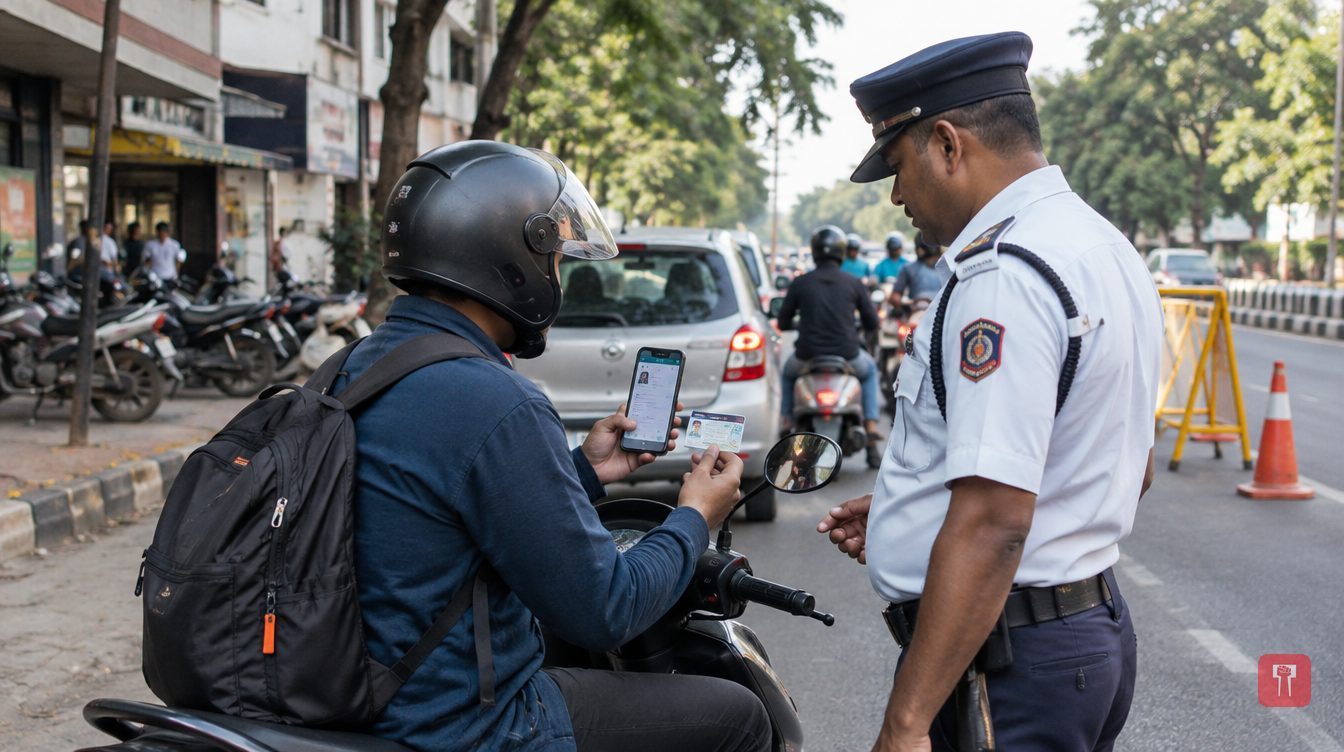
A licence held in DigiLocker or the mParivahan app has legal recognition, but a photo or screenshot saved in a phone gallery does not count as an authorised digital document.
When traffic police ask for a driving licence on a car, bike or scooter, must the original card be shown every time? A digital driving licence held in the DigiLocker and mParivahan apps has legal recognition. But there is a big difference between a photo saved on a phone and an authorised digital document.
Many motorists worry about carrying their driving licence, vehicle registration certificate (RC), insurance and pollution under control (PUC) certificate while travelling. Under the Centre's rules, vehicle documents that meet the prescribed conditions can also be shown in electronic form.
Rule 139 of the Central Motor Vehicles Rules, 1989 provides for these documents to be produced in physical or electronic form. A digital licence that is available on an authorised platform such as DigiLocker or mParivahan, and can be verified, can therefore be shown in an ordinary traffic check. This does not mean the original plastic licence must be carried every time. However, the digital document must be valid, up to date and linked to government records.
A photo or screenshot saved in the phone gallery is not treated as an authorised digital document. The authorised licence in the Issued Documents section of DigiLocker should be shown. In mParivahan, the authorised digital licence and vehicle details should be presented. A PDF or scanned copy sent over WhatsApp is not treated as equal to a document from an authorised platform.
The recognition rests on three provisions. The first is Rule 139 of the Central Motor Vehicles Rules, 1989. The second is Section 4 of the Information Technology Act, 2000, under which electronic records get legal recognition on certain conditions, though this does not make a photo or an unauthorised scan of a document authorised by itself. The third is Rule 9A of the Digital Locker Rules, 2016, under which electronic documents issued through DigiLocker are given the same recognition as physical documents within the scope of the relevant rules.
If valid and verifiable documents are available in DigiLocker or mParivahan, the licence, RC, insurance and other required documents can be shown electronically. Even so, this does not mean police can never ask for physical documents. Checking the validity of documents, confirming records and taking action under the law fall within the authority of the officials.
Problems can arise even with digital documents. If the phone switches off or the app does not open, the check may take longer. Without internet or with a weak network, documents may be slow to load. Check before the journey that the documents are available in the app. If a licence or insurance was renewed, or vehicle details changed, recently, the online record may take time to update. If details of an old licence do not show online, contact the concerned RTO or the authority that issued the document. In such situations a physical copy can come in handy, but this is a precaution, not a legal obligation.
For certain traffic offences, the law provides for seizing the driving licence or sending it to the concerned authority for further action. In such cases, it is not necessary in every instance to take the original plastic licence in hand. A record of the action may be entered in the electronic system, and the e-Challan, the vehicle or licence records and the licensing authority's procedure may apply. Showing a digital licence does not exempt a person from action for breaking traffic rules. The nature of the action depends on the offence and the legal provisions that apply.
If police ask for the original even after authorised digital documents are shown, take these steps instead of arguing. Show the Issued Documents in DigiLocker or the authorised record in mParivahan. Cooperate with the officials in checking the documents. If needed, politely mention Rule 139. If the digital document is not accepted, ask the reason. If you suspect a wrong fine has been imposed, keep the challan details and the digital records safe. Then complain through the traffic police's authorised complaint system or the e-Challan portal's procedure.
Documents a person uploads on their own to the Drive or Uploaded Documents section of DigiLocker do not automatically get authorised recognition. A self-uploaded scanned copy is different from a document issued by a government authority. A photo of a DL or RC kept in the mobile gallery is no substitute for an authorised digital document. A screenshot need not be sufficient for an official check. The original physical licence or RC is also valid and can be carried as needed. A valid insurance certificate must be active, and the PUC certificate must not have expired.
Can traffic police reject digital documents? Documents should not be rejected merely because they are digital. However, further checks on validity, verification and circumstances may follow. In an ordinary check an authorised and valid digital licence can be shown, though carrying a physical copy can help avoid trouble. Before setting out, check the documents in DigiLocker or mParivahan and make sure they are valid and up to date.
Reach readers on the ward they actually live in.
Advertise with Prime Time 24Reach readers on the ward they actually live in.
Advertise with Prime Time 24Reach readers on the ward they actually live in.
Advertise with Prime Time 24Choose primetime24.com as a preferred source on Google Google shows more stories from your preferred sources in Top Stories.
Reach readers on the ward they actually live in.
Advertise with Prime Time 24
Comments
No comments yet. Be the first.